Instagram Transcript Generator: MP4 Selected but Won't Decode
Export a fresh, complete WAV audio file from a recording you can open, then select that file in the upload box and try again. A selected MP4 can still fail at audio decoding; our complete AC-3 example and deliberately incomplete MP4 showed the same warning. Once a transcript appears, check its words against the playable original.
The MP4 extension gets a file considered for this Instagram transcript generator; it does not certify that the browser can read the audio inside. A selection message and a decoding result answer different questions. Start from the exact warning shown after you press Generate transcript.
Same extension, different observed outcomes
On November 5, 2026, we selected locally prepared files in the live tool, using one desktop in-app browser tab with English selected. The speech was our original synthetic sentence: Please review these words before you share the transcript.
The videos contained an original solid-color picture, with no Instagram post or private media.
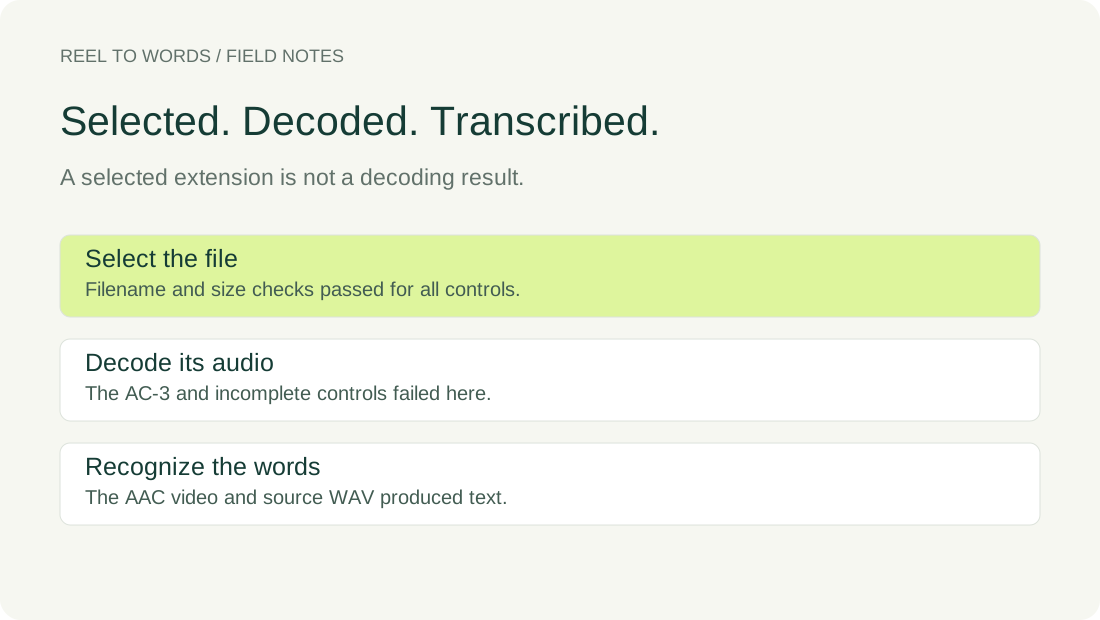
We saved complete MP4 examples with AAC and AC-3 audio, then made a deliberately incomplete copy of the AAC file by retaining its first 16814 bytes. A complete WAV of the source sentence served as the audio retry. Every file passed selection without a validation warning; the outcomes diverged after generation began.
| Selected input | Local file inspection | Visible browser outcome |
|---|---|---|
| Complete MP4, AAC audio | Audio and video streams identified | Please review these words before you share the transcript. |
| Complete MP4, AC-3 audio | Audio and video streams identified | Your browser could not decode this audio track. Try a WAV or MP3 file. |
| Deliberately incomplete MP4 | Inspection failed: moov atom not found | Your browser could not decode this audio track. Try a WAV or MP3 file. |
| Complete source WAV | PCM audio identified | Please review these words before you share the transcript. |
Local inspection used ffprobe; its actual stream records, exit status and error text are included with the input measurements. It identified AAC in one complete video and AC-3 in the other. The incomplete copy could not be read by that inspection. The browser displayed the same decoding suggestion for the complete AC-3 example and the incomplete copy, without showing a transcript for either.
The encoder also changed the AC-3 example's sample rate and duration, so this is a comparison of these files, not a codec-only experiment. It does not establish that AC-3 always fails, that AAC always works, or that a file readable by ffprobe must be readable by this browser. The matching words in the successful controls are observations from these runs, not an accuracy guarantee.
What the code actually checks
The published upload and audio-reading script first checks the filename extension, empty files and the byte limit in selectFile(). Later, decode() passes the selected file's bytes to decodeAudioData(). The submit handler waits for that step before calling the speech engine.
In that decoding function, EncodingError and NotSupportedError lead to the same WAV-or-MP3 suggestion. The displayed wording therefore cannot, by itself, distinguish an unsupported audio representation from a damaged input. Our complete and incomplete examples make that ambiguity visible without assigning a cause to your own file.
Recheck using the actual files
Select the controls separately, choose English under Audio language, and generate each result. Note the selected filename, whether a warning is visible and whether a new transcript appears. The downloadable outcomes record visible results only; text hidden after an earlier attempt is not counted as a new transcript.
AAC video controlAC-3 video controlIncomplete file controlComplete WAV controlInput measurementsBrowser outcomes
Choose a usable source for the retry
Return to a complete recording that you can open. Save its spoken audio as a real WAV export, then select the saved file here and choose the spoken language. The complete WAV control produced the reference sentence after the failed MP4 attempt in our tab.
Renaming a file does not re-encode its bytes. It also cannot rebuild data absent from a partial download. If the source is incomplete, obtain a complete source before exporting; the working WAV in our check came from the original speech, not from repairing the deliberately truncated video.
Questions about a decode warning
Does File selected mean the audio was decoded?
No. Selection and decoding run at separate stages in this code. All our controls passed selection, including the deliberately incomplete MP4 that later returned a decoding warning.
Can choosing another language fix this error?
The speech engine receives the language after decoding succeeds. Choosing another language does not change the file bytes passed into the decoder.
Does this prove that every MP4 with these codecs behaves the same?
No. These are specific generated files tested in one browser. Keep the container, audio representation, completeness and actual warning distinct when recording your own outcome.
Keep the working export together with its playable source. If another export fails, compare that file with the working one rather than treating every decoding warning as a verdict on the MP4 extension.