Instagram Transcript Generator: No Speech, Even When You Hear Sound?
Listen for actual spoken words in the saved file before retrying transcription. An audible tone can pass the audio check without containing speech, while silence can be rejected before recognition. Compare the generated words or sound label with the recording, and choose a file with clear speech when you need a spoken transcript.
An Instagram transcript generator processes the file you select, so begin by listening to that exact saved file. A recording can be audible without containing a sentence to recover. The distinction becomes clearer when silence, a simple tone and spoken words are tested separately.
What our browser check actually returned
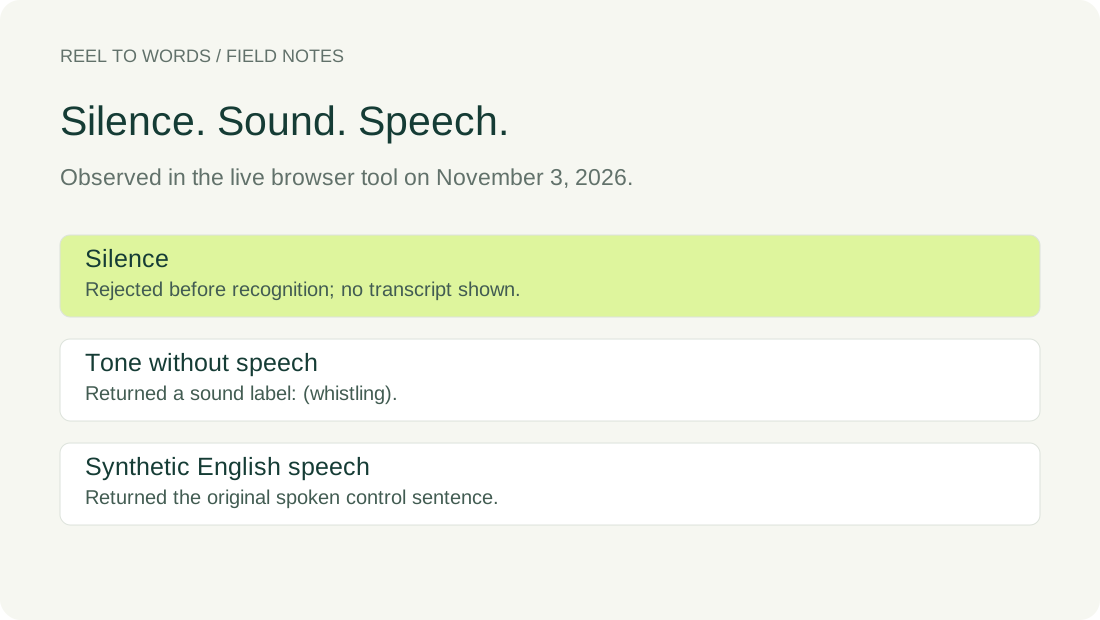
On November 3, 2026, we selected English in the live tool and processed locally prepared WAV files in the same desktop in-app browser tab. The inputs were digital silence, a constructed tone with no human voice, and an original synthetic English sentence. These are controlled inputs, not recordings taken from an Instagram post.
| Input | Visible outcome | Text actually shown |
|---|---|---|
| Digital silence | No transcript appeared | No audible audio was found. Choose a file with clear speech. |
| Constructed tone, no speech | Transcript ready | (whistling) |
| Synthetic English speech | Transcript ready | Please review these words before you share the transcript. |
The tone had no spoken sentence. The parenthesized label was the recognizer's output for that constructed sound, not a quotation from a person. The speech control, by contrast, returned the sentence used to create its audio. That match belongs to this run; it is not an accuracy percentage or a promise about another recording.
The source audio-reading code checks signal energy before calling the speech engine. This code check and the observed tone result explain why passing the audibility check does not establish that spoken words are present. It is not evidence that every quiet recording or every non-speech sound will produce the same response.
Repeat the check with the actual inputs
The downloadable files below are the inputs used in this check. The silence and tone files each contain two seconds of locally generated audio; their duration comes from the WAV frame count divided by the sample rate. The speech file is synthetic narration of the sentence shown in the table. No private media is included.
Silence WAVTone WAVSpeech WAVInput measurementsObserved results
- Select a control file in the tool and choose English under Audio language.
- Use Generate transcript and record the message and the text that are actually visible.
- Listen to the selected file before deciding whether any output is a faithful record of spoken words.
We did not edit the generated result during these checks. A sound label is kept separate from spoken words in the evidence table, and the rejected silent input is not assigned a made-up transcript. These controls isolate the input distinction; they do not diagnose every noisy, soft or overlapping voice.
Questions before another attempt
Does Transcript ready prove that the file contained speech?
No. The constructed tone reached that state and returned a sound label. Read the result against what you can hear in the input, rather than treating a completion message as confirmation that words were spoken.
Will repeatedly processing a music-only file recover missing speech?
A file containing no spoken words has no spoken sentence to recover. This check used a tone rather than a song, so it is not a benchmark for music handling; any generated text still needs comparison with the recording.
What if I can hear people speaking?
Check the selected file and its spoken language, then review the output against the audio. The controls here do not establish the cause of a failure in your own file. Names, accents, music and overlapping voices can still be misheard.
Keep the source recording beside the result you intend to use. A silent-input error, a label for a sound and a transcript of spoken words are different outcomes; review the words at the point where you can hear them in the file.