Instagram Transcript Generator: Who Said Each Line?
Upload the conversation, choose its spoken language and generate a draft, then add neutral speaker labels in the editable text while checking the recording. This tool does not generate speaker labels or identify the people speaking. Check each voice change before using Copy text, and mark uncertain attribution as unknown.
A transcript of a conversation can preserve the sentences while leaving their ownership unresolved. If you use this Instagram transcript generator for an interview or exchange, review the speaker changes as a separate task. A fluent paragraph is not confirmation that its words have been assigned to the right voice.
What our alternating-voice check returned
On November 6, 2026, we generated a local English dialogue using two installed synthetic voices. We authored the turn order before processing the audio: Voice A, Voice B, Voice A, then Voice B. These are neutral reference labels for our constructed source, not real people or identities discovered by a model.
| Source label | Authored utterance |
|---|---|
| Voice A | Can we move the review to Friday? |
| Voice B | Yes, but please send the notes first. |
| Voice A | I will send them this afternoon. |
| Voice B | Then I can review the final draft. |
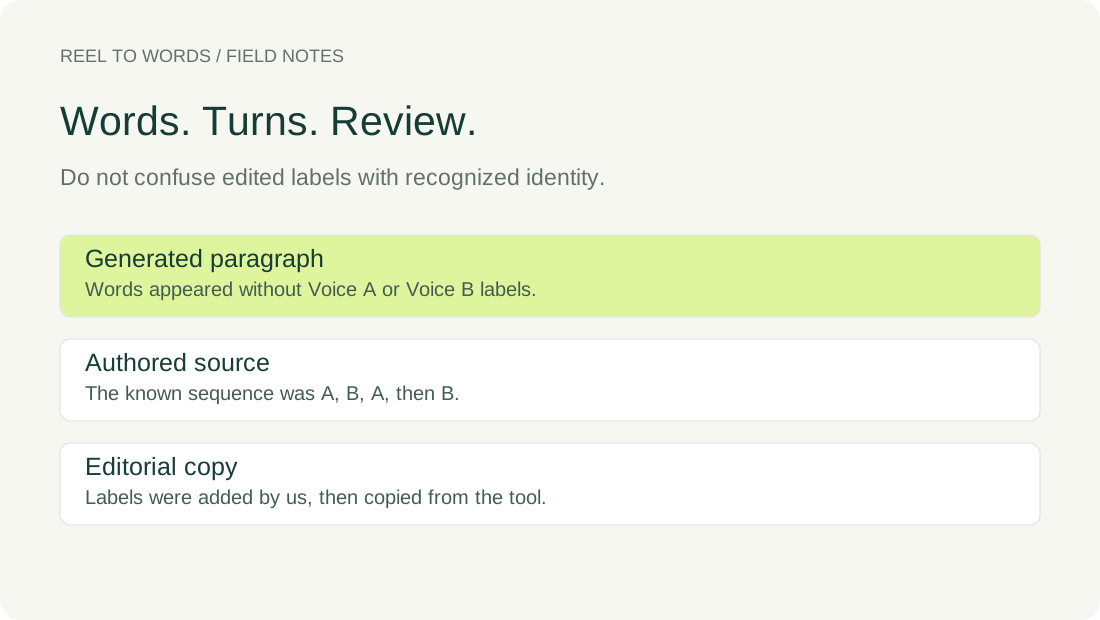
We selected the complete dialogue WAV in the live tool, chose English under Audio language, and used Generate transcript in a desktop in-app browser. The visible result was a single paragraph without Voice A or Voice B labels:
Can we move the review to Friday? Yes, but please send the notes first. I will send them this afternoon. Then I can review the final draft. [BLANK_AUDIO]
The final [BLANK_AUDIO] marker was generated text, not part of our authored speech. We retained it in the raw evidence rather than silently presenting a cleaned result as the model output. The words and the absence of labels in this run do not establish performance for another conversation, accent or overlapping exchange.
What we added during review
Using the known authored turn sequence, we inserted neutral Voice A and Voice B labels and placed each turn on its own line in the editable transcript. We removed the unspoken marker. We did not ask the model to identify a real person, and the labels were not generated by the transcription step.
After those edits, we used Copy text. The clipboard matched the edited text box, including its labels and line breaks. The reviewed download below preserves that copied version; the raw download preserves the recognizer's original paragraph. Comparing the files shows exactly which attribution information came from our review.
The accompanying source manifest records each authored clip's frame boundaries and the voice used to construct it. Those boundaries come from assembling the source audio. They are not detected speaker-change times or model subtitle cues, and they should not be presented as a diarization result.
Inspect the source and both versions
The controls contain only our original synthetic conversation. To reproduce the recognition check, select the audio, choose English and generate a fresh result. Keep that result before making any edits. For the editorial exercise, compare its sentences with the authored turn reference, then add labels explicitly as your own review.
Original dialogue WAVAuthored turn referenceRaw generated paragraphEditorially labeled copyRecorded browser result
Review the turn before attaching a name
For your own conversation, replay a short exchange and locate the voice change before splitting the text into turns. Use a neutral label consistently while identity is unverified. A question followed by an answer may suggest an exchange, but the sentence wording alone does not establish who said it.
If voices overlap or you cannot confidently assign a phrase, keep that part marked as unknown rather than forcing it into a familiar speaker's turn. Check the words and the attribution separately. Adding a label makes an editorial claim about the recording; a tidy layout does not verify that claim.
Questions before sharing a labeled transcript
Will the tool fill in the speakers for me?
No. This version does not generate speaker labels. Our check returned the dialogue as an unlabeled paragraph; the labels in the reviewed copy were typed afterward using the source reference.
Does a timestamp identify a person?
A time locates part of the recording. The result mapping in this version stores start, end and text, without a speaker field. Treat a timestamp as a listening aid, not evidence of identity.
Can I use real names instead of neutral labels?
Use a name only when you have an independent basis for that attribution. Our Voice A and Voice B labels describe a controlled synthetic source; they are not a method of recognizing people from their voices.
When sharing the reviewed text, state that its speaker labels were added during review and keep the unlabeled draft alongside it. That preserves the distinction between words returned by the tool and attribution you are responsible for checking.