Instagram Transcript Generator: Why SRT Is Not on the Video
Download SRT from your generated result, then render that subtitle file onto the video in a subtitle-aware editor if you need words in the picture. The SRT download contains timed text and leaves the original MP4 unchanged; this tool does not produce a caption-rendered video. Open the saved video and check that the visible words appear while the matching speech plays.
An Instagram transcript generator can give you a useful subtitle file without changing a single frame of the recording. Check which asset you are holding: the original video, a timed text file, or a new video with letters drawn into its picture. Those are different deliverables.
What our real SRT download contained
On November 7, 2026, we selected our original short MP4 in the live browser tool, chose English under Audio language, and generated a transcript. The picture was a locally created solid green frame; the audio was our original synthetic English sentence. No private recording or third-party footage was used.
We clicked the actual SRT download control and kept its downloaded bytes. It contained one cue from 00:00:00,000 to 00:00:04,000, with this recognized text:
Please review these words before you share the transcript.
The original MP4 retained the same SHA256 value before and after this workflow. The published export handler builds subtitle cue text and downloads a text Blob with the SRT extension. It does not draw those letters into the selected video's frames or return a new MP4.
| Asset | What we inspected |
|---|---|
| Original MP4 | Source file unchanged; sampled picture had no visible words |
| Downloaded SRT | A timed cue and recognized sentence, stored as text |
| Locally rendered MP4 | New video whose sampled picture contained the sentence |
What changed when we rendered the subtitle
We passed that same downloaded SRT and the original MP4 to a local FFmpeg subtitle-rendering command. We did not replace the cue's words or timestamps. The command wrote a different output file and left the source untouched. This was a separate local rendering step, not another output button added to the transcription tool.
We extracted a frame at 1.5 seconds from each video, inside the downloaded cue's interval. The original frame was plain green. The corresponding rendered frame visibly contained the recognized sentence. The comparison below uses those actual extracted frames, not a design mockup or a manually typed substitute for a model result.

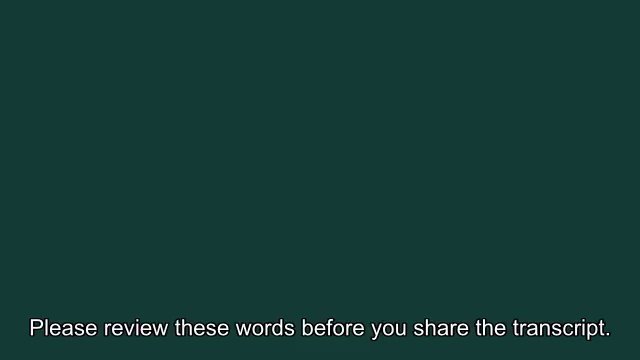
The rendered file's inspected streams were video and audio; its visible letters were in the extracted picture, without relying on a separate subtitle track in that file. This small control is evidence of the handoff difference. It does not validate every cue's timing, caption density, destination app or accessibility behavior.
Reproduce the handoff with the actual assets
Use the original video in the tool, select English, generate and download SRT. Keep the video and subtitle as separate files. To reproduce our visual comparison, render the provided subtitle onto a new video and inspect a position inside its cue interval. Keep the input unchanged so you can distinguish a new output from the original.
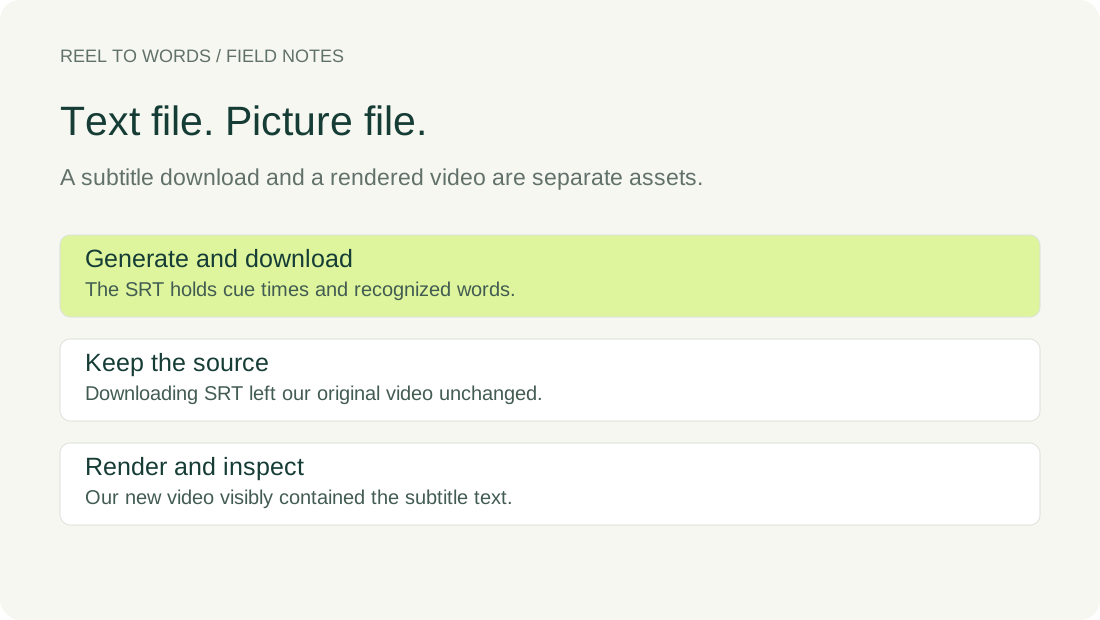
Original videoActual SRT downloadRendered video controlInput and render recordObserved browser result
Inspect the saved video before handing it over
If the requested result is visible captions inside the picture, import the subtitle into a workflow that can render it and save a video output. Open that saved video and check its words, placement and timing against the audio. Merely seeing the sentence in the SRT file does not show what appears in the saved picture.
If a destination explicitly accepts a separate subtitle track, keep the SRT with the original recording for that workflow. Confirm its requirements rather than assuming that any particular posting interface accepts an SRT upload. Our comparison did not test a current social-platform import screen.
Questions about the file you downloaded
Does SRT download create a captioned MP4 here?
No. The inspected download handler creates subtitle text. Our rendered MP4 was produced afterward by a separate local command, not by the tool's SRT button.
Can I rename the SRT to MP4?
A different extension does not draw text onto video frames. The actual SRT in this check contains cue text, while the video controls contain encoded picture and audio streams.
Does the comparison prove perfect subtitle timing?
No. We inspected a frame inside one short cue and retained the actual downloadable videos. Review the whole saved output against the recording before relying on its timing or placement.
Keep the SRT as the editable timing handoff and identify the saved video that contains the rendered words. When someone asks for a captioned clip, check that you are sending that video asset rather than only its subtitle instructions.